

Everyone you work with, in one place.
Your team has seats. Your clients, your contractors and your accountant do not, and most of them never will. Gript is built so the people outside your company can still see the work, update their part of it, and tell you what changed, on the item itself.
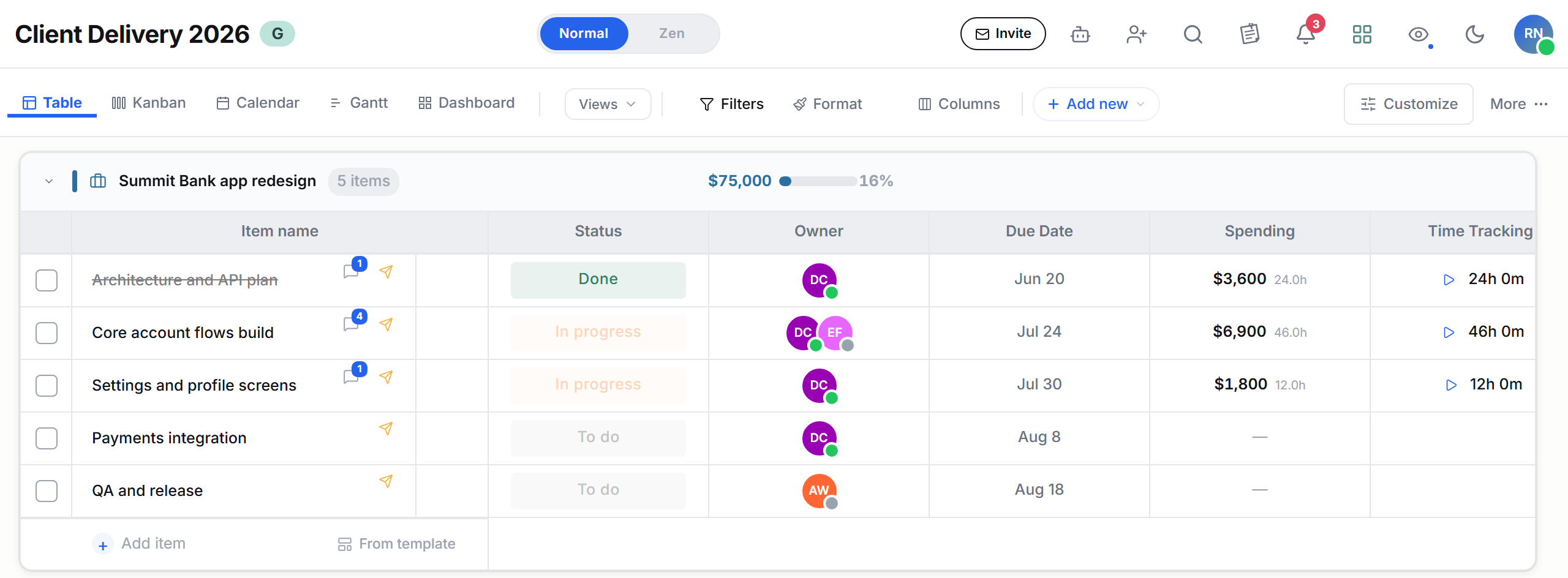
Not everyone you work with works for you.
Most tools only understand the first kind. That is why the second kind ends up in email.
Inside your company
The people in the work every day. Full access, their own views, their own notifications.
- Boards, notes, dashboards, timelines
- Comments and threads on every item
- Teams, roles and access groups
Everyone else you work with
Clients, contractors, the accountant. They need to see three things and change one of them, and they are never going to buy a licence to do it.
- Update Requests scoped to the items you pick
- You choose which columns they can edit
- They answer on the item, not in your inbox
Let them edit exactly what you choose.
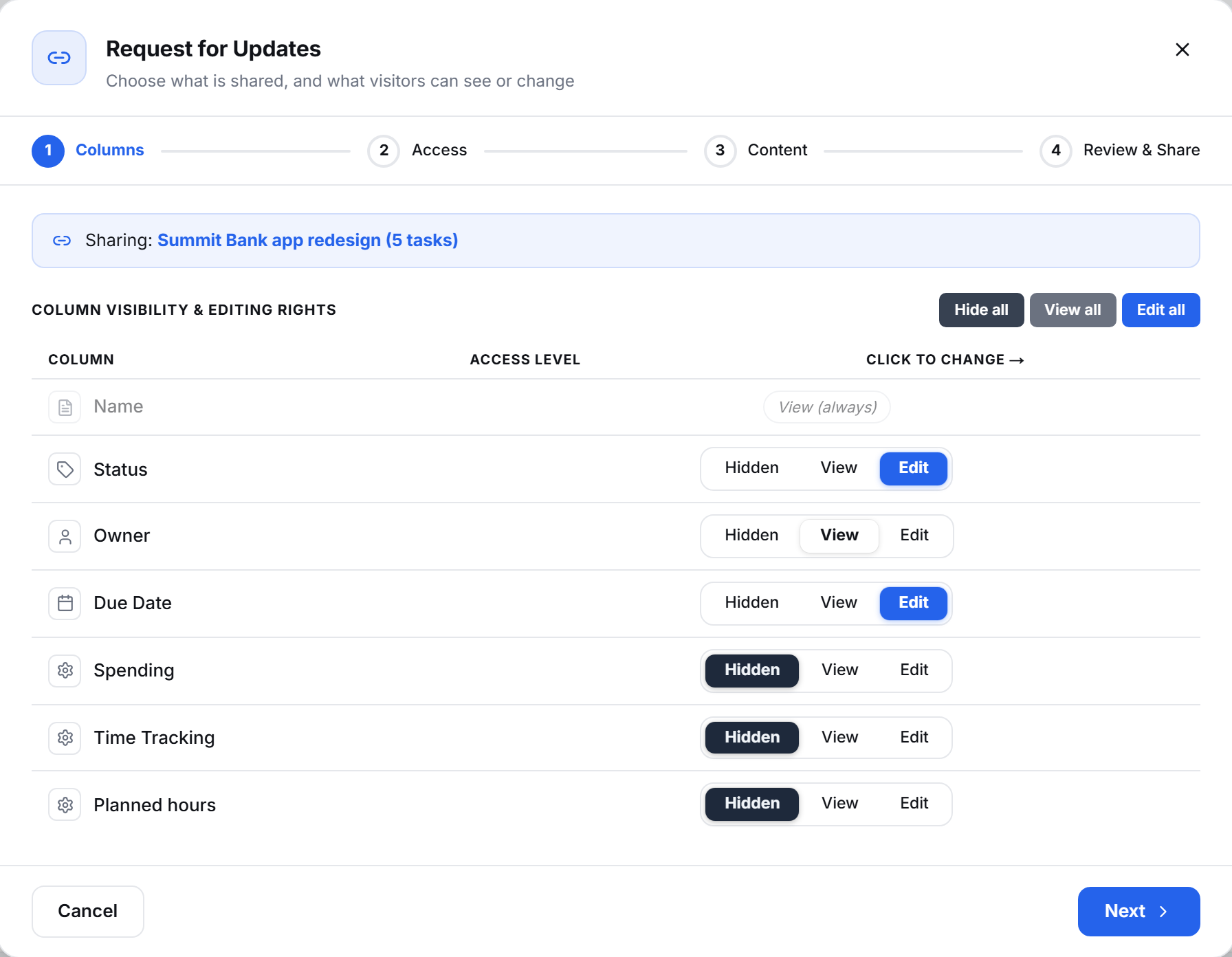
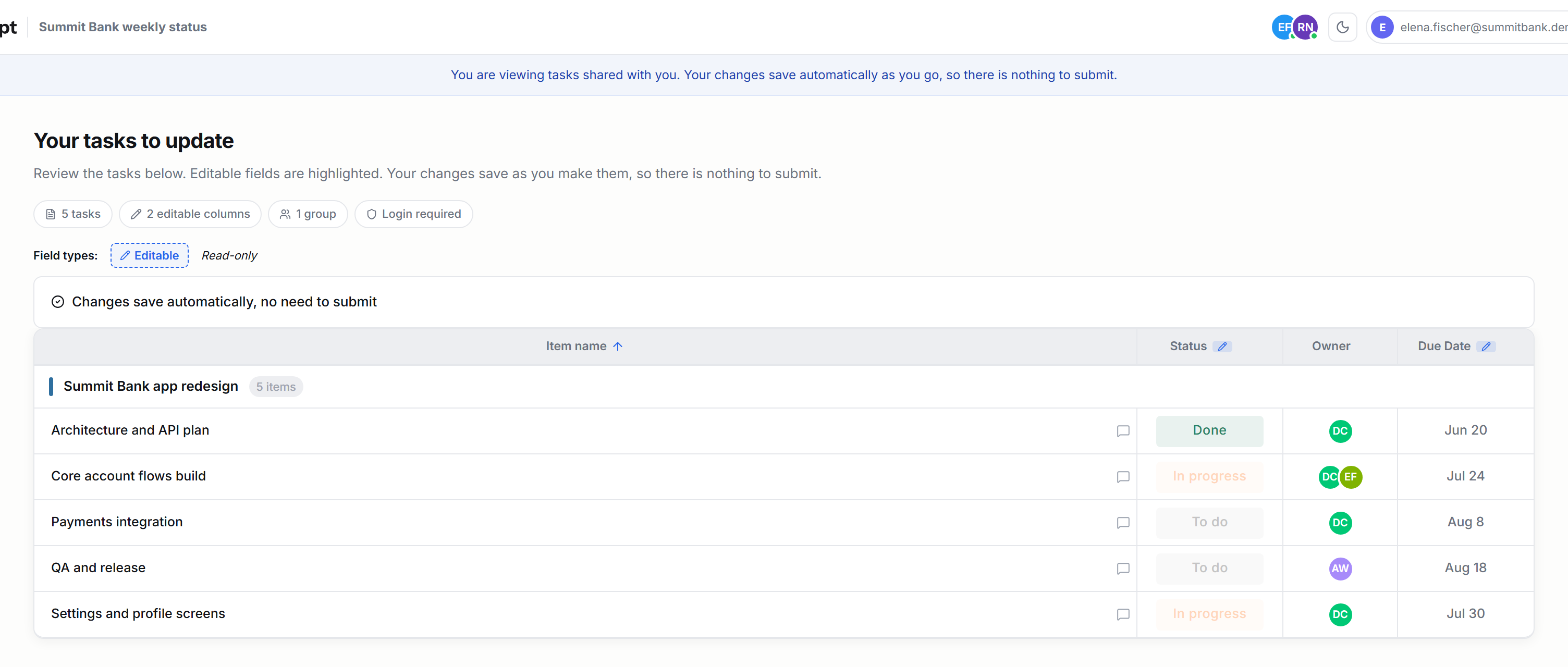
Choose the tasks, then set every column to hidden, view or edit. Your client gets a link, signs in as a guest, and sees only that. Status and dates they can change. Spending, tracked time and planned hours are not shown to them at all. Their changes save as they type, so there is nothing to submit and nothing for you to retype afterwards.
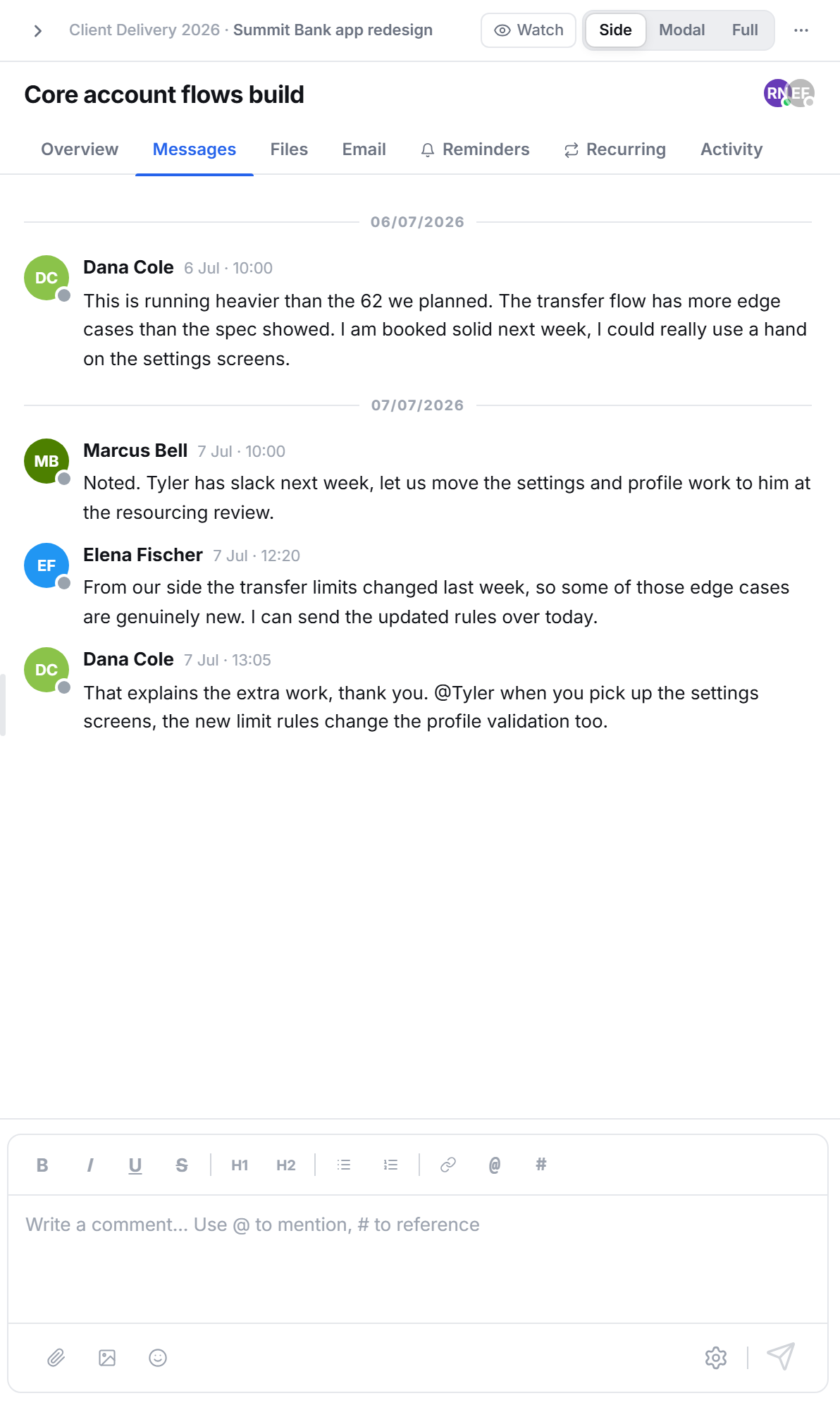
The conversation stays on the task.
Your developer flags the overrun, your delivery lead moves the work, and the client explains why the scope changed, all in the same thread, on the task it is about. Nobody has to reconstruct later which email went with which row, because the discussion never left the row.
Open enough to be useful, closed enough to be safe.
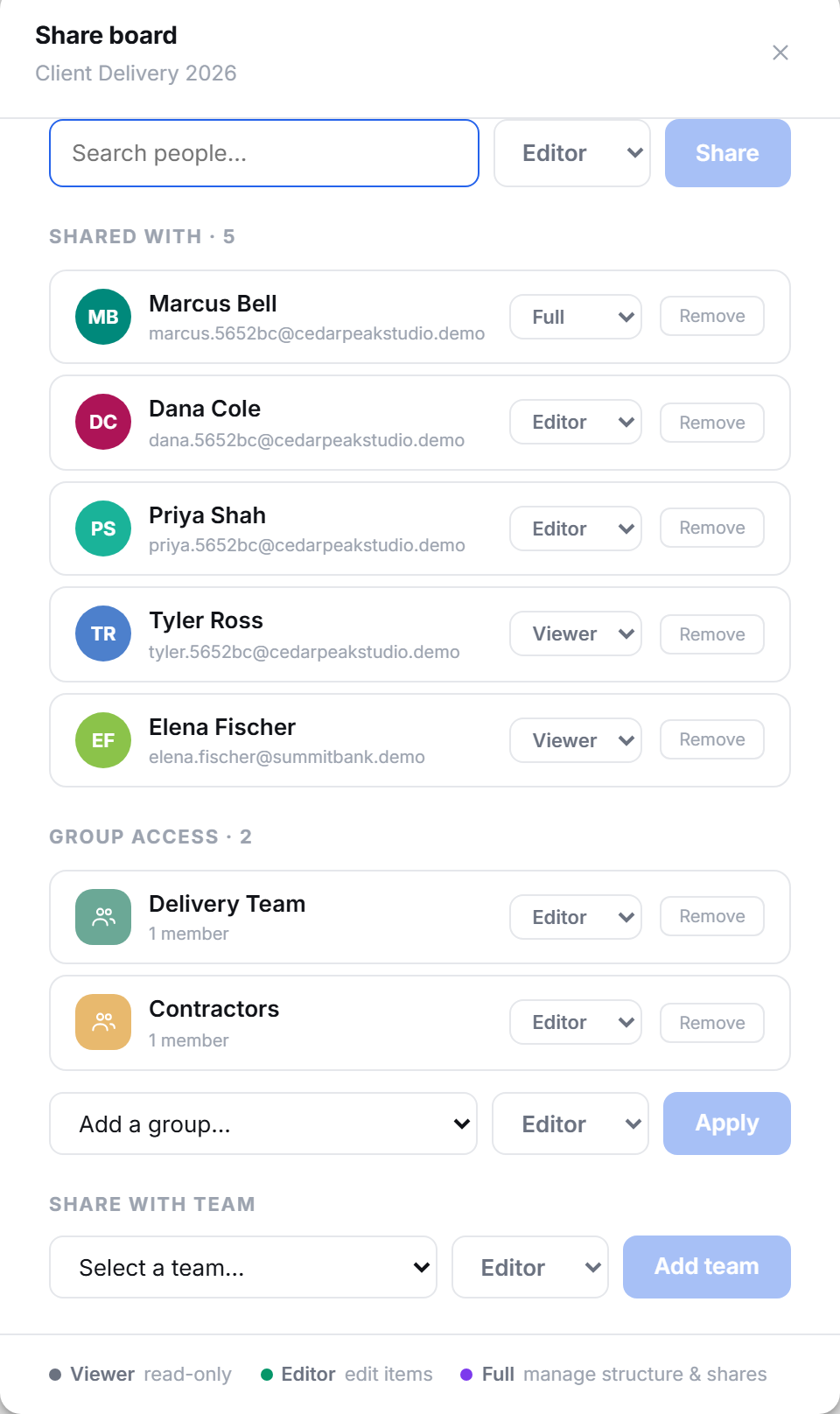
Sharing is only comfortable when you know exactly what you shared. Each person gets viewer, editor or full, one by one, and groups carry the same rule across a whole team instead of board by board. Your contractor can look without touching. Your client can look without seeing what the work costs you.
The people outside your team are where the bill grows.
Working with other people is the feature every tool charges for. This is the part worth reading twice.
The ClickUp line is the same documented guest to member reclassification already covered on our ClickUp comparison page.
The things people ask before they share anything.
Does my client need a paid account?
No. They sign in as a guest, which costs nothing and does not consume a seat. They see the tasks and columns you shared with them and nothing else in your workspace.
Do guests cost anything?
No. Guests do not consume a seat and are not converted into paid members later. What you set up is what you pay for.
Can I limit what an outsider sees?
Yes, column by column. Each one is hidden, visible or editable, and the ones you hide are not sent to their browser at all. Internal costs and hours stay internal.
Can several people work on the same board at once?
Yes. Changes appear for everyone in the board as they happen, so two people working on different rows never overwrite each other.
How do I know who changed what?
Every task keeps an activity trail of who did what and when, including the people outside your company.
Can I stop sharing?
Yes. Remove their access and it ends immediately.
Sharing is the part you cannot test alone.
Start a board.
Send one link to one person outside your company.
You will know within a day whether this works for you.